Extended Reality: An Overview of XR Technologies and Applications
Explore the world of Extended Reality (XR) through Virtual Reality (VR), Augmented Reality (AR), and Mixed Reality (MR). Learn about XR applications beyond entertainment, including enhanced learning environments, workplace productivity, and collaborative development. Discover the advantages and disadvantages of XR technology for a comprehensive understanding of its potential impact on various sectors.

Download Presentation

Please find below an Image/Link to download the presentation.
The content on the website is provided AS IS for your information and personal use only. It may not be sold, licensed, or shared on other websites without obtaining consent from the author. If you encounter any issues during the download, it is possible that the publisher has removed the file from their server.
You are allowed to download the files provided on this website for personal or commercial use, subject to the condition that they are used lawfully. All files are the property of their respective owners.
The content on the website is provided AS IS for your information and personal use only. It may not be sold, licensed, or shared on other websites without obtaining consent from the author.
E N D
Presentation Transcript
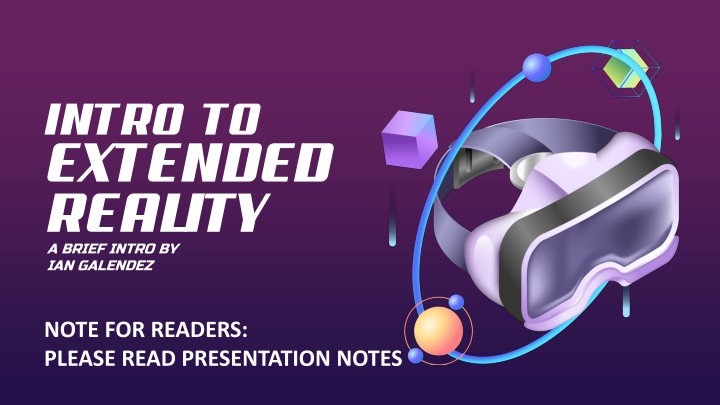
INTRO TO EXTENDED REALITY A BRIEF INTRO BY IAN GALENDEZ NOTE FOR READERS: PLEASE READ PRESENTATION NOTES
AGENDA 1. 2. 3. What is XR? 4. 5. Applications Outside of Entertainment VR, AR, and MR Quick Demo Pros and Cons
EXTENDED REALITY (XR) Extended Reality - An Umbrella term referring to all technology that alters reality by adding digital elements to the physical world in any capacity Examples of XR: VR, AR, and MR
VIRTUAL REALITY (VR) Fully Immersive Experience in a Virtual Environment with no view of Physical Reality Examples: Beat Saber, VR Chat, Virtual Training Modules, Online Class Environments Device Types: Computer Assisted VR (PCVR) Standalone
AUGMENTED REALITY (AR) Adds Virtual Interfaces Overlayed onto the Physical World Often with little-to-no physical interaction Examples: AR Social Media Filters Smart Glasses with HUDs (Heads Up Display)
MIXED REALITY (MR) Combination of Digital Elements superimposed into the real world, allowing viewership and direct interaction within both Virtual and Physical Realities Examples: Pokemon Go, Meta Quest 3, Apple Vision Pro
Enhanced Learning/Teaching Environments Enhanced Workplace Learning/Work Environments Socializing/Virtual Connection Creating Virtual Content/Assets/Art Visualizing Data/Art/Simulation Planning and visualizing of 3D Spaces Collaborative Development Physical Fitness Accessibility Tools More APPLICATION OF XR OUTSIDE OF GAMES
DISADVANTAGES ADVANTAGES Hardware can be bulky, uncomfortable, and can be limiting based on various factors Technology is expensive to make for, make with, and acquire Accessibility varies between devices; individuals with disabilities may face challenges, such as the need for custom lenses for those with prescription glasses. Enhanced interaction through natural and intuitive user interfaces Enhanced learning for education purposes (Job training, Simulations for students) Gives opportunity for remote collaboration and virtual workspaces Technology currently being developed to aid and enhance the human experience
META QUEST DEMO TIME!
LINKS TO EXAMPLES (PT 1) General Information Articles Used for Presentation Notes Extended Reality Overview: https://www.interaction-design.org/literature/article/beyond-ar-vs-vr-what-is-the-difference-between- ar-vs-mr-vs-vr-vs-xr?srsltid=AfmBOopF6ck9fj4TM94v34-REnQOUVOYACRwvcfS4IqrC2m3ilMS07Mx#what_is_extended_reality_(xr)?-2 Another Extended Reality Overview Article: https://newsroom.arm.com/blog/xr-ar-vr-mr-difference Article on Various Apps for Various Purposes: https://www.roadtovr.com/vr-apps-work-from-home-remote-office-design-review- training-education-cad-telepresence-wfh/ Technologies Googles AR Glasses, Google Glass: https://www.google.com/glass/photography/ Even Realities AR Glasses: https://www.evenrealities.com/en- CA/?gad_source=1&gclid=EAIaIQobChMIl7S0ko_siwMVLRKtBh0Q5gCHEAAYASAAEgIXwvD_BwE Meta Quest 3 XR Headset (MMCL loanable device): https://www.meta.com/ca/quest/quest- 3/?srsltid=AfmBOooVwLTYmKpKA_CFW6yxtPP6pkJEvmvtaQ1dtOKcSovBEgRmzAR0 PCVR Vive Headsets (Newer Version of MMCL in-House room item): https://www.vive.com/ca/product/vive-pro2-full-kit/overview/ Apple Vision Pro: https://www.apple.com/apple-vision-pro/ Learning/Workplace Training Related VR Language Learning Game: https://noun.town/ XR Piano Learning: https://www.pianovision.com/ VR Walmart Training Module: https://www.strivr.com/customers/walmart https://corporate.walmart.com/content/corporate/en_us/news/2018/09/20/how-vr-is-transforming-the-way-we-train- associates.html VR Medical Training Sim: https://www.simxvr.com/
LINKS TO EXAMPLES (PT 2) Workplace Enhancement Article for VR for Architects: https://architizer.com/blog/practice/tools/young-architect-guide-vr-software/ Desktop VR: https://www.vrdesktop.net/ Google Earth (Article): https://www.vrvoyaging.com/google-earth-vr/ Examples You Probably Had Used or are Readily Accessible to You Snapchat Filters: https://www.snapchat.com/lens DSI Photo Filters: https://flic.kr/s/aHsj27HEji 3DS AR/XR Games: https://youtu.be/yxfs8vI-y_Q?si=oEZkz8AekV3QdjGM Modern Phone AR Measuring Tools (Iphone link): https://support.apple.com/en-ca/guide/iphone/iphd8ac2cfea/ios Social/Learning Spaces VR Chat (Social): https://hello.vrchat.com/ Rec Room (Cross Platform): https://recroom.com/ Meta s Horizon Worlds (Social and Learning): https://forwork.meta.com/ca/isv-directory/ ClassVR: https://www.classvr.com/